An "AI website" is a normal Next.js site with one or more AI-powered features — a chatbot, AI-generated content, AI-assisted search, personalization — added through API routes that call a model provider, with careful attention to where those calls sit in the request lifecycle. The AI layer is additive, not a different kind of website; the same Next.js fundamentals (routing, rendering, deployment) still apply underneath it.
For a single AI feature specifically (a chatbot interface), see Building an AI Chatbot Interface With Next.js — this article covers the broader pattern across AI feature types.
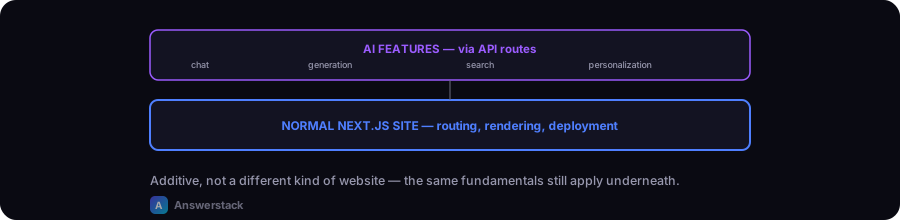
The common AI features and where they fit
| Feature | Where it lives | Key consideration |
|---|---|---|
| Chatbot / support widget | Client component + API route | Streaming responses for perceived speed |
| AI-generated content (drafts, summaries) | Server-side, often async/background | Usually not real-time — a job queue pattern fits better than a synchronous request |
| AI-assisted search | API route + client search UI | Latency matters — cache common queries where possible |
| Personalization | Server Component reading user context | Avoid re-computing on every request if context changes infrequently |
The architecture pattern
Next.js app (Vercel)
  ├─ Static/server-rendered pages (the actual content — SEO-critical, no AI dependency)
  ├─ AI feature components (client, lazy-loaded, deferred if non-critical)
  │    └─ API routes (see Building APIs for AI Applications)
  │         └─ Model provider call (streamed for chat, sync for quick tasks)
  └─ Everything else — same Next.js fundamentals as a non-AI site
The critical design principle: the AI feature should never block or degrade the core page experience. A chatbot widget that fails to load shouldn't break the page around it; an AI-generated recommendation section shouldn't delay the page's main content from rendering. This is the same lesson that applies to any heavy, optional page element — load it after the critical content, not competing with it.
Performance: don't let the AI layer become the bottleneck
This site's own homepage hit exactly this problem with a 3D visual element unrelated to AI, but the principle transfers directly: any non-critical, JS-heavy feature (a chat widget's bundle, a client-side AI search UI) should be deferred — loaded after the main content is interactive, not blocking it. Concretely:
- Lazy-load AI feature components that aren't above the fold or immediately needed
- Stream chat responses rather than waiting for the full generation
- Keep AI-generated content off the critical rendering path where possible — pre-generate and cache it rather than generating on every request, if the content doesn't need to be live
SEO: keep AI features from hurting crawlability
Since Server Components render full HTML by default (see Next.js SEO Best Practices), the actual page content should already be crawlable regardless of any AI feature layered on top. The risk is when a whole page's core content is generated client-side inside a chat-like interface instead of rendered as real HTML — if the AI feature is the content (an AI-powered documentation search, for example), make sure there's still a crawlable, server-rendered version of the underlying information, not just an interactive widget.
Cost: treat AI API calls as a real line item from day one
Unlike most web infrastructure costs, AI API usage scales directly with traffic and usage patterns in a way that can surprise you. Rate-limit AI-powered endpoints (see Building APIs for AI Applications) and, if the site will eventually have real usage volume, plan a metering approach even before it's strictly necessary — see Metering and Billing AI Usage if the AI feature is part of a paid product rather than a free site feature.
A minimal starting checklist
- Identify the specific AI feature (not "make it AI-powered" broadly) — a chatbot, a search assistant, a content generator.
- Build the core page content as a normal, server-rendered Next.js page first — the AI feature should be additive, not load-bearing for the page to function at all.
- Add the AI feature via a dedicated API route, deferred/lazy-loaded on the client if it's not immediately critical.
- Rate-limit the endpoint before launch, not after the first cost spike.
- Test what the page looks and performs like with the AI feature disabled or slow — it should degrade gracefully, not break the page.