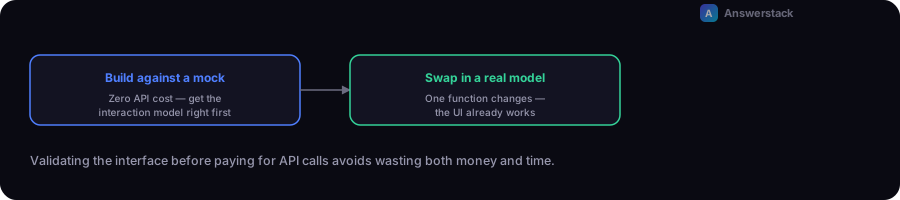
This tutorial builds a working chat interface in Next.js — message list, input, streaming-style response — using a mock API route so you can run the whole thing with zero API cost. Swapping in a real AI model later means changing one function.
Why start with mock responses
Wiring up a paid AI API before you've validated the interface, state management, and UX wastes both money and time if something needs to change. Building against a mock response first lets you get the interaction model right for free, then swap in a real model call as a final step.
Step 1: Project setup
Assuming an existing Next.js + TypeScript app (see What Is Next.js? if you're starting from scratch), create two files: the API route and the chat component.
Step 2: The mock API route
// app/api/demo-chat/route.ts
import { NextRequest, NextResponse } from "next/server";

const MOCK_REPLIES = [
  "Here's a mock response — replace this function with a real model call when you're ready.",
  "This demo doesn't call any paid API. It's here to validate the interface first.",
  "Once your UI works end to end, swap this out for a real LLM API call.",
];

export async function POST(req: NextRequest) {
  const { messages } = await req.json();
  const lastMessage = messages.at(-1)?.content ?? "";

  await new Promise((resolve) => setTimeout(resolve, 600));

  const reply = `You said: "${lastMessage}". ${MOCK_REPLIES[messages.length % MOCK_REPLIES.length]}`;

  return NextResponse.json({ reply });
}
Step 3: The chat component
// components/DemoChat.tsx
"use client";
import { useState } from "react";

type Message = { role: "user" | "assistant"; content: string };

export function DemoChat() {
  const [messages, setMessages] = useState<Message[]>([]);
  const [input, setInput] = useState("");
  const [loading, setLoading] = useState(false);

  async function send() {
    if (!input.trim() || loading) return;
    const next: Message[] = [...messages, { role: "user", content: input }];
    setMessages(next);
    setInput("");
    setLoading(true);

    const res = await fetch("/api/demo-chat", {
      method: "POST",
      headers: { "Content-Type": "application/json" },
      body: JSON.stringify({ messages: next }),
    });
    const { reply } = await res.json();

    setMessages((current) => [...current, { role: "assistant", content: reply }]);
    setLoading(false);
  }

  return (
    <div className="rounded-xl border p-4">
      <div className="space-y-2">
        {messages.map((m, i) => (
          <p key={i}>
            <strong>{m.role === "user" ? "You" : "Bot"}:</strong> {m.content}
          </p>
        ))}
        {loading && <p><em>Bot is typing…</em></p>}
      </div>
      <div className="mt-3 flex gap-2">
        <input
          value={input}
          onChange={(e) => setInput(e.target.value)}
          onKeyDown={(e) => e.key === "Enter" && send()}
          placeholder="Type a message"
          className="flex-1 rounded border px-3 py-2"
        />
        <button onClick={send} className="rounded bg-black px-4 py-2 text-white">
          Send
        </button>
      </div>
    </div>
  );
}
Step 4: Render it on a page
// app/demo/page.tsx
import { DemoChat } from "@/components/DemoChat";

export default function DemoPage() {
  return (
    <main className="mx-auto max-w-xl p-8">
      <h1 className="text-2xl font-bold">Chat demo</h1>
      <DemoChat />
    </main>
  );
}
Run npm run dev and visit /demo — you now have a working chat interface with request/response handling, loading state, and conversation history, without any external API cost.
Step 5: Swapping in a real model (when you're ready)
Only the API route changes. Replace the mock reply logic with a real call to your model provider's API, keeping the same request/response shape ({ messages } in, { reply } out) so the frontend component doesn't need to change at all:
// app/api/demo-chat/route.ts (real version)
export async function POST(req: NextRequest) {
  const { messages } = await req.json();
  const reply = await callYourModelProvider(messages); // implement per your provider's SDK
  return NextResponse.json({ reply });
}
At this point, follow the grounding and guardrail practices in How to Build an AI Chatbot before shipping it with real traffic.