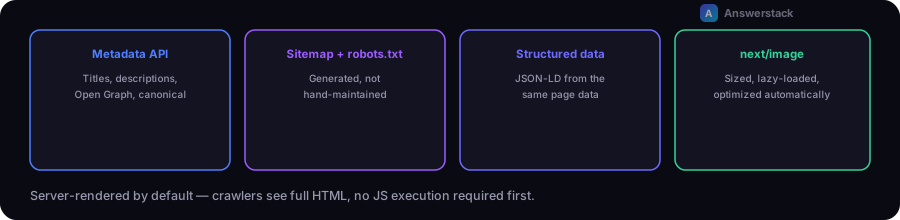
Next.js removes most of the historical "SPA SEO problem" by default — pages are server-rendered, so crawlers see full HTML without executing JavaScript first. What's left is using the framework's specific tools correctly: the Metadata API for titles/descriptions, generated sitemaps and robots.txt, structured data, and next/image for image performance.
This assumes SEO fundamentals themselves (titles, intent, internal linking) — see Technical SEO Explained for that layer. This article is specifically about what Next.js gives you and how to use it correctly.
Metadata: use the Metadata API, not manual <head> tags
Next.js's App Router Metadata API generates the <title>, meta description, Open Graph tags, and canonical URL from a typed metadata export (or generateMetadata function for dynamic routes) — this is the correct, current way to set page-level SEO tags, not manually inserting <head> elements:
export const metadata: Metadata = {
  title: "Page Title",
  description: "A specific, accurate description of this page's content.",
  openGraph: { title: "...", description: "...", images: ["/og-image.png"] },
};
For dynamic routes (a blog post, a product page), use generateMetadata so each page gets a real, specific title and description pulled from its actual content — a shared generic title across every dynamic page is a common, easily-avoidable mistake.
Sitemap and robots.txt: generate them, don't hand-write them
Next.js supports generating both sitemap.xml and robots.txt as code (app/sitemap.ts, app/robots.ts), which keeps them accurate as pages are added or removed — a hand-maintained sitemap drifts out of date the moment someone forgets to update it:
// app/sitemap.ts
export default function sitemap(): MetadataRoute.Sitemap {
  return allPages.map((page) => ({
    url: `https://example.com${page.url}`,
    lastModified: page.updatedAt,
  }));
}
Generating this from your actual content source (the same data your pages render from) means it can never list a page that doesn't exist or omit one that does.
Structured data: JSON-LD via a script tag, matching real page content
Add JSON-LD structured data (Article, FAQPage, Product, Organization — whatever schema.org type fits the page) as a <script type="application/ld+json"> tag, generated from the same data the visible page uses — never structured data that claims something the visible page doesn't show, which can trigger a manual action from Google if detected.
Server rendering: the default that solves most JS-SEO problems
App Router components are Server Components by default, meaning the initial HTML response already contains the full rendered content — crawlers don't need to execute JavaScript to see it. This matters most for content-heavy pages (articles, product listings); pages behind heavy client-side interactivity should still ensure the core content (not just interactive widgets) renders server-side.
Images: use next/image, not a plain <img> tag
next/image handles responsive sizing, lazy loading, and modern format serving (WebP/AVIF) automatically, all of which affect Core Web Vitals — specifically Largest Contentful Paint, which is both a ranking factor and a real user-experience metric. A plain <img> tag misses all of this by default and is one of the more common avoidable performance regressions in a Next.js site.
Canonical URLs: set them explicitly when duplicate paths can exist
If the same content is reachable via more than one URL (with/without a trailing slash, a tracking parameter, a filtered vs. unfiltered listing), set an explicit canonical URL in metadata so search engines consolidate ranking signals to one version instead of splitting them across duplicates:
export const metadata: Metadata = {
  alternates: { canonical: "https://example.com/the-canonical-path" },
};
A common mistake: metadata inherited by accident
In App Router's nested layout system, metadata from a parent layout applies unless a page overrides it — it's easy to ship a set of pages that all share one layout's generic title/description because a specific page never defined its own. Audit this directly: view source (or check rendered <head>) on a sample of pages, not just the homepage, to confirm each has distinct, accurate metadata.