Next.js is a React framework that adds the routing, rendering, and infrastructure conventions needed to build production web applications — things React alone doesn't provide out of the box, like file-based routing, server-side rendering, and built-in SEO tooling.
Why a framework on top of React
React itself is a UI library — it renders components, but it doesn't decide how pages are routed, how data is fetched on the server, how the app is built and deployed, or how metadata and SEO tags are managed. Next.js provides opinionated, production-ready answers to all of that, which is why most real-world React web apps (as opposed to pure client-side widgets) are built on a framework like it rather than raw React.
Core concepts
File-based routing
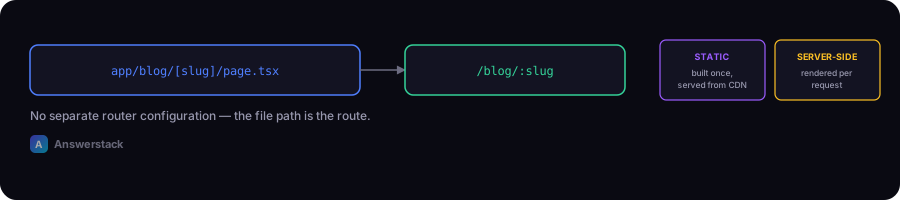
A file at app/blog/[slug]/page.tsx automatically becomes the route /blog/:slug — no separate router configuration needed. This site's own content system uses exactly this pattern for every article and category page.
Rendering strategies
Next.js supports multiple rendering approaches per page:
- Static rendering — pages built once at build time, served instantly from a CDN (ideal for content like articles).
- Server-side rendering — pages rendered per request on the server (ideal for personalized or frequently changing data).
- Client-side rendering — interactive components that render in the browser (ideal for widgets like a chat interface).
You choose per-component, not sitewide — a mostly-static page can still include an interactive client component.
Server and Client Components
Components are server-rendered by default (faster, smaller JavaScript bundles) and only become client components — with "use client" — when they need interactivity like state or event handlers. This distinction is central to how Next.js apps are structured.
Built-in SEO tooling
Next.js provides first-class support for metadata (generateMetadata), sitemaps (app/sitemap.ts), and structured data, without needing separate SEO plugins — see Next.js SEO Best Practices for specifics.
A minimal example
// app/page.tsx — a static server component
export default function HomePage() {
  return <h1>Welcome</h1>;
}

// app/about/page.tsx — another route, just from the folder structure
export default function AboutPage() {
  return <p>About us.</p>;
}
No router configuration file, no manual route registration — the folder structure is the routing.
Why Next.js pairs well with AI products
- API routes let you build backend endpoints (e.g., a chatbot's
/api/chat) in the same project as your frontend — see How to Build an AI Chatbot. - Streaming responses are natively supported, which matters for showing AI-generated text as it's produced rather than waiting for the full response.
- Fast static pages for content-heavy sites (like this one) keep SEO-critical pages fast even when other parts of the app are dynamic.
When Next.js might be overkill
- A single static landing page with no interactivity — a simpler static site generator may be faster to set up.
- A pure internal admin tool with no SEO or public-facing requirements, where routing conventions matter less.