Internal linking connects related pages on your own site, helping search engines discover pages, understand which topics are related, and pass authority from your strongest pages to newer or weaker ones. It's one of the highest-leverage, lowest-cost SEO activities available.
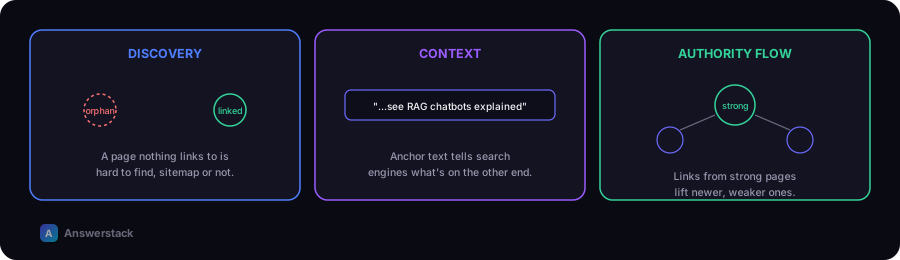
What internal links actually do
- Discovery — a page with no internal links pointing to it (an "orphan page") is much harder for search engines to find, even if it's in your sitemap.
- Context — the anchor text and surrounding content of a link tell search engines what the linked page is about.
- Authority flow — pages that receive many internal links from relevant, authoritative pages on your site tend to rank better than isolated pages.
- User navigation — readers who find one useful article are more likely to explore related ones if you link them, improving engagement signals.
The topic cluster model
Organize content into clusters: one broad "pillar" page (e.g. AI Chatbots) linking out to specific subtopic pages (e.g. RAG Chatbots, AI Chatbot Security), which link back to the pillar and to each other where relevant.
        Pillar page (broad topic)
       /      |       \
  Subtopic  Subtopic  Subtopic
     \_________|_________/
      (cross-links between related subtopics)
This structure signals topical authority clearly and gives search engines an obvious path through your content.
A practical internal linking process
For every new article you publish:
- Link up — to its parent category/pillar page.
- Link sideways — to 2–4 closely related articles in the same cluster.
- Link to a relevant tool — if one of your free tools relates to the topic.
- Link to a relevant commercial page — a service or comparison page, where genuinely relevant (not forced).
- Get linked to — go back to 3–5 older, related articles and add a link to the new one where it fits naturally.
That last step is the one most sites skip, and it's often the most valuable — new pages start with zero internal links pointing to them until you deliberately add some.
Anchor text guidance
- Use descriptive anchor text that reflects the linked page's topic ("AI Chatbot Cost Calculator", not "click here").
- Vary anchor text naturally across different links to the same page — don't repeat the exact same phrase every time.
- Avoid over-optimizing anchor text with exact-match keywords in every single link; it reads as unnatural to both users and search engines.
Common mistakes
- Linking randomly instead of deliberately connecting related topics.
- Only linking "up" to category pages, never sideways between related articles.
- Forgetting to update old articles when new, related content is published.
- Burying links in a "related articles" widget only, instead of within the body content where they carry more contextual weight.