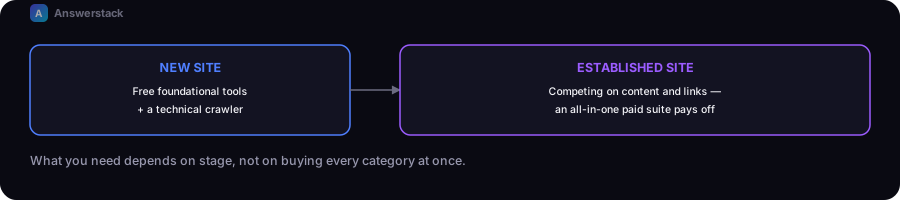
Most sites don't need every SEO tool category at once. What you need depends on your stage: a new site needs free foundational tools and a technical crawler; an established site competing on content and links benefits more from an all-in-one paid suite.
We have not run controlled, hands-on tests of every tool named below, and pricing/features change frequently — treat this as a starting framework. See our affiliate disclosure for how tool coverage works on this site.
Start free, always
Regardless of stage, these free tools are foundational and worth setting up before anything paid:
- Google Search Console — the only source of your actual search performance data (impressions, clicks, queries, indexing status). Non-negotiable, and free.
- Google Analytics (or a privacy-focused alternative) — on-site behavior data.
- This site's own SEO Meta Checker, Heading Analyzer, and Robots.txt Generator — free, rule-based checks for common on-page and technical issues.
All-in-one SEO suites
What they're for: keyword research, rank tracking, backlink analysis, and site auditing in a single platform — the category most people mean by "an SEO tool."
Well-known examples: Ahrefs and Semrush are the two most widely used platforms in this category, each covering keyword research, competitor analysis, rank tracking, and backlink data; Moz is a longer-standing alternative in the same space.
What to actually check before choosing:
- Whether the keyword and traffic data volume estimates matter for your use case, or whether you mainly need the auditing/tracking features
- Pricing tier needed for your site count and query volume
- Whether you'll actually use the full feature set, or are paying for capability you won't touch — these suites are a real recurring cost, worth reserving for once you have specific questions they answer
Best fit: sites with enough traffic/competition that competitive keyword and backlink intelligence meaningfully changes your content decisions.
Technical SEO crawlers
What they're for: crawling your own site to find technical issues — broken links, duplicate titles, redirect chains, missing metadata — at a scale manual checking can't cover.
Well-known example: Screaming Frog's SEO Spider is the most widely used desktop crawler in this category, with a free tier limited by page count and a paid tier for larger sites.
What to actually check before choosing:
- Whether the free tier's page limit covers your site size
- Whether you need scheduled/recurring crawls (some tools require the paid tier for this)
Best fit: running a full technical audit (see our SEO Audit Checklist) periodically, even on a small site.
When to add a paid suite vs. staying free
| Situation | Recommendation |
|---|---|
| New site, first 10–20 articles | Free tools only — Search Console, Analytics, this site's free tools |
| Established site, need competitor keyword/backlink intel | Add an all-in-one suite |
| Recurring technical audits on a larger site | Add a crawler tool, paid tier if page count requires it |
| Budget-constrained, small site | Free tools cover the fundamentals well past what most small sites need |
A common mistake
Buying an expensive all-in-one suite before you have enough content or traffic for its competitive intelligence features to matter. The free tools above cover the fundamentals — crawlability, on-page structure, indexing health — that determine whether a site can rank at all; competitive keyword/backlink tools matter more once those fundamentals are solid and you're optimizing incrementally.