Core Web Vitals measure three things real users experience: how fast the main content appears (Largest Contentful Paint), whether the page jumps around while loading (Cumulative Layout Shift), and how quickly it responds to interaction (Interaction to Next Paint). They're a ranking factor, but more importantly they measure something that actually matters to visitors regardless of SEO — a slow, janky page loses visitors whether or not Google penalizes it for being slow.
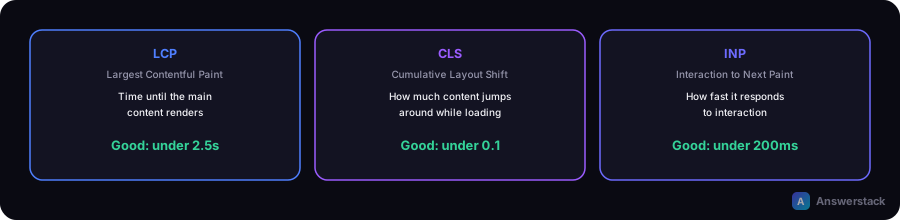
The three metrics
| Metric | What it measures | Good threshold |
|---|---|---|
| LCP (Largest Contentful Paint) | Time until the largest visible content element renders | Under 2.5s |
| CLS (Cumulative Layout Shift) | How much visible content shifts position unexpectedly while loading | Under 0.1 |
| INP (Interaction to Next Paint) | Responsiveness — time between a user interaction and the next visual update | Under 200ms |
INP replaced First Input Delay (FID) as the official responsiveness metric — if you see older guidance referencing FID, treat INP as the current, more complete measurement of the same underlying concern.
A real example: this site's own homepage
This site's homepage Lighthouse Performance score dropped to 61/100 after adding a 3D interactive hero (a Three.js/React Three Fiber particle network) — every other page scored 94-99. Diagnosing it with Lighthouse's mainthread-work-breakdown and long-tasks audits pointed at one JS chunk: 945ms of scripting time from the 3D library, blocking the main thread while the rest of the page tried to become interactive. Total Blocking Time was 840ms — a direct driver of poor INP.
Two fixes closed the gap:
- Tree-shaking the import. The code used
import * as THREE from "three"— a namespace import that pulls in the whole library regardless of what's actually used. Switching to named/type-only imports (import { Color, type Group, type PointLight } from "three") let the bundler eliminate the unused parts. - Deferring the load. Instead of mounting the 3D scene immediately, it now waits for
requestIdleCallback(with asetTimeoutfallback) so it loads after the critical page content is already interactive, not competing with it.
Result: Performance went from 61 to 96, Total Blocking Time from 840ms to 110ms, LCP improved from 1.9s to 0.8s. The lesson generalizes beyond this specific case: any large, non-critical JS bundle — a chart library, an embed, a heavy widget — can cause the same problem, and the same two fixes (tree-shake the import, defer the load until idle) usually apply.
Common causes of each metric failing
Poor LCP:
- A large hero image not optimized or not preloaded
- Render-blocking JavaScript or CSS delaying the main content
- Slow server response time before any content can start rendering
Poor CLS:
- Images or embeds without explicit width/height, causing a layout jump once they load
- Web fonts swapping in and reflowing text after the page has already rendered
- Content (ads, banners, cookie notices) injected above existing content after initial render
Poor INP:
- Heavy JavaScript execution blocking the main thread when a user clicks or types (the exact pattern in the case above)
- Large event handlers doing expensive work synchronously instead of deferring it
A practical improvement approach
- Measure first — run Lighthouse (or check real-user data in Search Console's Core Web Vitals report) before changing anything, so you have a baseline and know which metric is actually the problem.
- Find the specific cause, not a generic "make it faster" — Lighthouse's diagnostic audits (
mainthread-work-breakdown,long-tasks,render-blocking-resources) point at the actual bottleneck, as in the example above. - Fix the specific cause — tree-shake imports, defer non-critical JS, set explicit image dimensions, preload the LCP element — rather than broad, unfocused optimization.
- Re-measure to confirm the fix actually worked, and check it didn't regress a different metric.