A chatbot is only the visible, customer-facing piece of AI-automated support. The higher-leverage automation usually happens behind the scenes: classifying and routing incoming tickets, pulling relevant context automatically, drafting responses for agents to review, and flagging patterns across tickets — none of which requires a customer to ever interact with a bot directly.
For the conversational, customer-facing side of this, see AI Chatbots for Customer Service. This article covers the backend automation layer that works whether or not you have a chatbot at all.
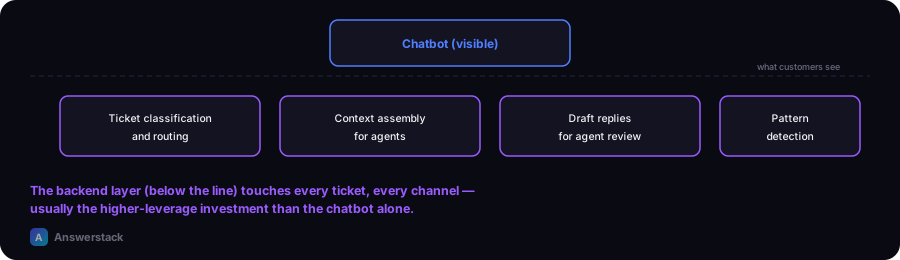
The automation layer behind support, not just the chatbot
Ticket classification and routing
Every incoming ticket — email, form, chat — gets classified by intent and urgency, then routed to the right queue or team automatically. This alone often eliminates a meaningful chunk of manual triage time, and it works identically whether tickets arrive via a chatbot, email, or a contact form.
Context assembly for agents
Before a human agent even opens a ticket, an automation can pull the customer's order history, prior tickets, and relevant account details into one view — cutting the time an agent spends hunting for context before they can actually help.
Draft-reply generation for agents (not customers)
Rather than a customer-facing chatbot, this generates a first-draft reply for a human agent to review, edit, and send — see How to Automate Email with AI for the same pattern applied to email specifically. This is often lower-risk than a customer-facing bot since a human is always in the loop before anything reaches the customer.
Pattern detection across tickets
Automatically flagging a spike in a specific complaint type or a recurring issue across many tickets — something a human reviewing tickets one at a time is slow to notice — lets a team catch and fix a systemic problem faster than the "one ticket at a time" default view allows.
Why this often matters more than the chatbot itself
A customer-facing chatbot only touches the fraction of interactions that happen through that specific channel. Backend automation (triage, context assembly, draft generation) touches every ticket, regardless of channel — email, chat, phone transcripts, contact forms — which is why it's frequently the higher-leverage investment even for teams that also want a chatbot. Build this layer first if you're choosing where to start.
A practical starting approach
- Start with classification and routing — the most bounded, lowest-risk automation, and the foundation everything else builds on.
- Add context assembly for agents once routing is reliable — this compounds the time savings without adding customer-facing risk.
- Add draft-reply generation for agents, keeping a human send step, before considering any customer-facing automation.
- Only then consider a customer-facing chatbot, if the channel-specific volume justifies it — see AI Chatbots for Customer Service.