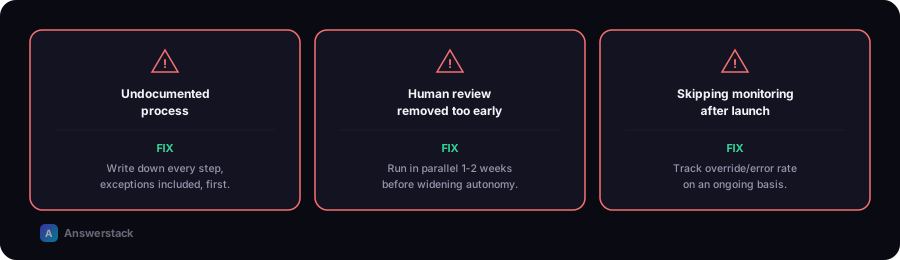
The most common AI automation mistakes aren't technical — they're scoping and guardrail mistakes: automating an undocumented process, removing human review too early, and skipping monitoring after launch. Each one is avoidable with a deliberate rollout process.
1. Automating an undocumented process
If you can't write down the current manual process clearly, step by step, neither a rule-based system nor an AI system can execute it reliably. Teams often discover mid-build that "the process" actually varies by who's doing it — which means there's no single process to automate yet.
Fix: Document the process exactly as it happens today, including exceptions, before building anything. See How to Build an AI Business Workflow.
2. Removing human review too early
It's tempting to go "fully automated" as fast as possible. But without real accuracy data, you don't actually know the error rate — you're guessing.
Fix: Run new automations in parallel with the manual process, or with a human review step, for at least 1–2 weeks before removing the human checkpoint. Only widen autonomy once you have real override-rate data.
3. Using AI where a simple rule would do
Routing a request based on a fixed field (like department = "sales") doesn't need an AI model — a rule handles it instantly, for free, with zero error rate. Adding an AI step here adds cost, latency, and a small chance of a wrong answer for no benefit.
Fix: Use the test from AI Automation vs Traditional Automation — if you could write an exhaustive rule list, don't reach for AI.
4. No monitoring after launch
AI steps can degrade silently — a model update, a shift in the type of input coming in, or an edge case no one anticipated. Without monitoring, this shows up as a slow decline in quality that no one notices until a customer complains.
Fix: Track human override rate, confidence trends, and cost per run on an ongoing basis, not just at launch. See the monitoring section of How to Build an AI Business Workflow.
5. Starting with a customer-facing process
The first automation a business builds is often the riskiest one to get wrong — customer-facing, financially sensitive, or both. A mistake here is visible and costly.
Fix: Start internal (inbox triage, reporting, internal data extraction) and prove reliability before moving outward to anything customer-facing.
6. No fallback for AI failures
APIs time out, models occasionally return malformed output, and confidence scores aren't always well-calibrated. A workflow with no fallback path either breaks silently or takes an unintended action on bad output.
Fix: Always define what happens on failure — retry, skip and flag, or halt and alert a human — as part of the initial build, not as an afterthought.
7. Choosing the most expensive model by default
Many classification and extraction tasks perform fine on smaller, cheaper models. Defaulting to the most capable (and most expensive) model for every step inflates cost without a proportional quality gain.
Fix: Match model tier to task difficulty. Use the AI Automation ROI Calculator to see how cost assumptions affect your real return.
8. Treating the first version as final
The first version of an AI workflow is a starting point, not a finished system — real-world input reveals edge cases no amount of upfront planning catches. Teams that treat launch as "done" miss the compounding value of iterating on real data.
Fix: Schedule a review 2–4 weeks post-launch specifically to look at real logs and override rates, and plan for ongoing small adjustments.